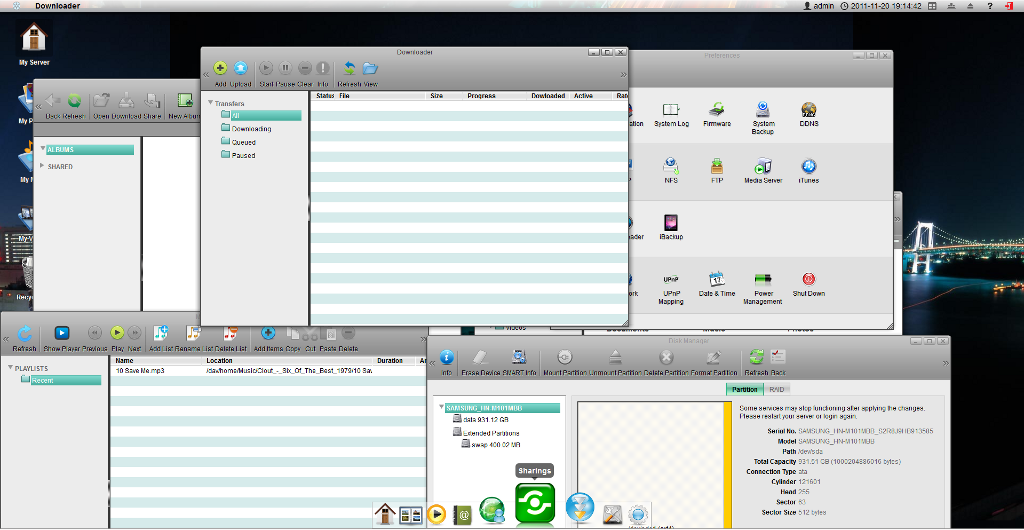
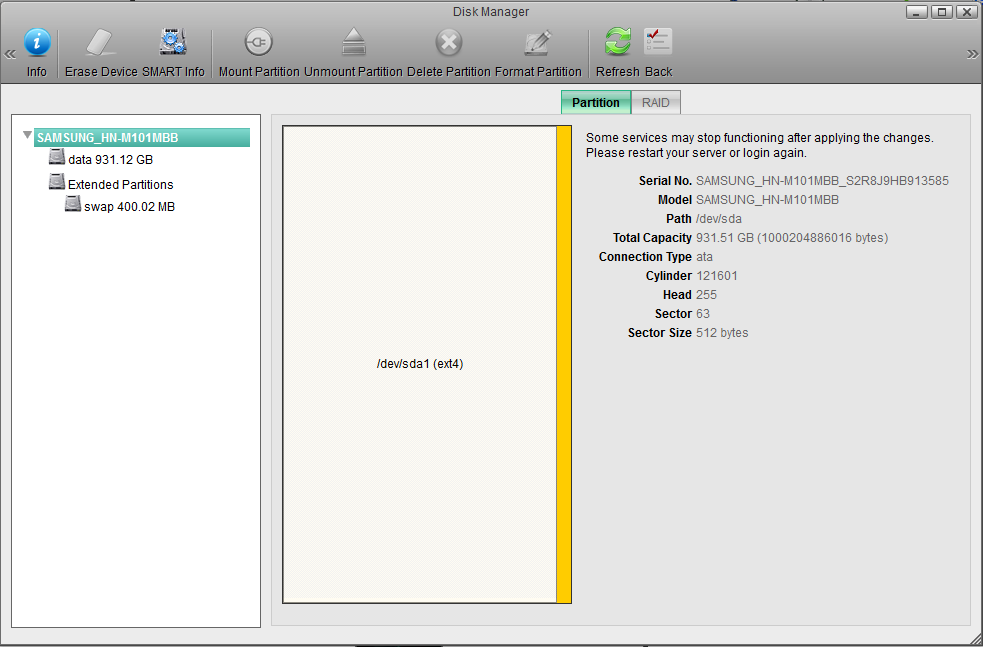
Iam running out of space, the time has come to buy new storage this time not only a HDD with some capacity.
I have some new stuff @home like an new LED-TV(Samsung UE37D6510) with AllShare-DLNA, the new idea was to access all my Data from my TV.
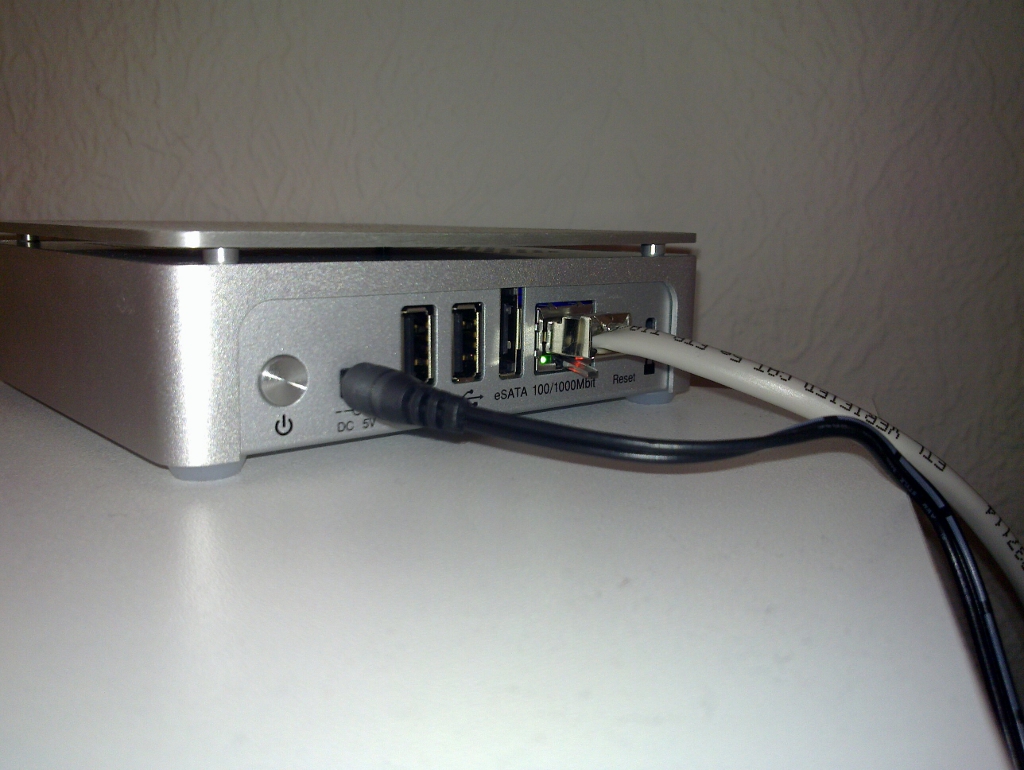
I compared a lot of NAS-Devices and I found Silver Stone DC01, that was exactly that what I needed…
Why DC01?
- Linux powered- YEAH!
- SSH-Access
- Be root;)
Hardware
- Dual-Core ARM-Processor with 750 MHz
- 256 MB – DDR2 RAM
Services
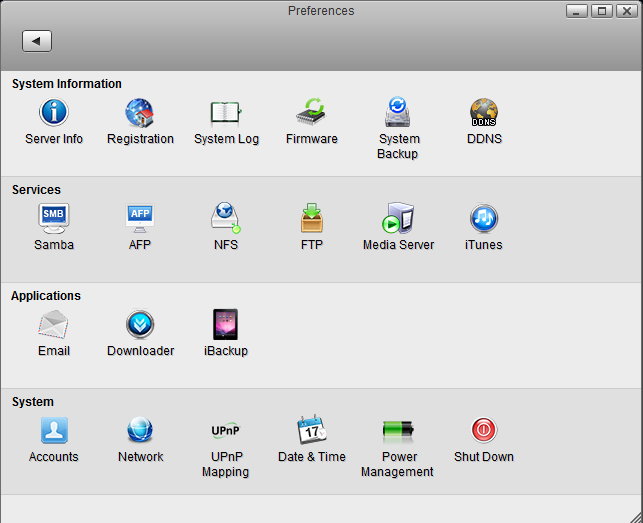
- FTP Service
- SAMBA Service
- NFS Service (Linux)
- Bonjour Service (Mac)
- Web Service (WebDAV supported)
- iTunes server
- DLNA server
- Printer server
- USB mass storage class
- VPN client
- Auto Register to VPN/Proxy Server with MAC Address
- IPv6 ready
The root account can be brute-foreced (I may not publish the actual password)
BTW. you can make a backup of your running config, in the zip-archive you will find the shadow file. Run john the ripper to find out the password.
The only one what Iam missing, is rsync.
UPDATE(10.12.2011 – 16:15)

Ivan found a solution(Comments) to bring the MAC OS X Time machine backup program to work with the great Silver Stone DC01 NAS:
The DC01 is able to support the MAX OS X Time Machine Backup program, but only after some tiny fixes which can be found here: http://wiki.myakitio.com/time_machine


Hi There,
in between i was able to install rsync and vi. Thanks to another forum (in german), where someone pointed to this Website with all packages in a suitable version for the DC01:
http:||ftp.linux.org.uk|pub|linux|arm|fedora|pub|fedora|linux|releases|12|Everything|arm|os|Packages|
(replace | with /; the website was blocking uploading the link.)
Install with: rpm -ihv Package
Have fun ;-)
Unfortunately i am failing to install cron. Any help is welcome…
Thanks
Hi,
uuu,dirty, but if there is no other way.
At least it should work. I will try.
But why there is the directory /etc/cron.daily existing?
Is there really no cron or is it just hidden?
so far thanks for the hint.
Hi yes indeed there is no editor on the system installed:( The solution is very easy: You can copy your script via SSH – scp to your DC.
If you have any other Linux boxes at home you can create backup with smbmount.
There is no Cron! You can try to write a tiny bash script and run it once with AT (command is at) This script should create another AT;) its very dirty, but there is no other solution.
Hi,
i bought DC01 a week ago and it fulfills all my standard requirements (as data storage and media server), but now i want to configure a daily backup from the internal drive to the USB drive (because of performance, i do not want to use a RAID). I am using ssh and the above mentioned root passwort to login. But i cannot find “cron” and an editor. Did someone solved this problem? (I am not a linux guru, so i am not able to install the missing packages without the yum, which also seems not to be installed)
Any idea?
Thanks for your help.
JG
Reply from Silverstone:
…the current DC01 firmware does not support the latest version of iTunes.
If you want to use iTunes, please install a version before 10.5.3.
It surely works with 10.5.1 no problem.
The latest firmware update for DC01 will be released around the end of March.
Kindly wait until then if you wnat to use iTunes 10.5.3.
Hi,
on my notebook iTunes 10.5.3(3) displays DC01′s iTunes server shared library but it is nit able to connect it although iTunes server is running on DC01 and shares some music. No error message. iTunes is connecting and new window pops up and immediatelly is closed and share is not connected. Who can help please? Thanks
Thank you so much for providing all this information.
Your blog now has become THE place to look for inside info about the DC01.
I was able to ssh into my DC01 and use the debug mode of MiniDLNA to diagnose tag errors I got on my Upnp controller – invaluable !!
I wonder what new DC01 features & tricks people will come up now that the root password spreads…
Thanks !
Thanx to all for the interesting information so far provided here. I’ve purchased a DC01 for its lowest-power consuming multimedia server capabilities. With the 1TB HDD I’ve built into the little box and its swap partition of 500 MB it should be ready to take up further services such an as rsync, yum and, for example, squeezebox server. As I’m running Squeezebox players at my home, this would do a much more energy-saving job than the NAS device I’ve been using so far.
But since I’m no Linux expert (rather just lower intermediate) I would like to draw a full backup of the DC01 system before making any changes (adding any new services). Is there a safe way of doing this, considering thta the whole system rests on a 256MB NAND flash, so that fully functional restoration can be achieved – just in the worst case. If yes, please give me hints as to how you as experts would do it.
Hi great that it works for you too!!! I’m still trying to bring rsync and some other tools to work – at the time less successful:(
Thank you! Thank you!
I donwnloaded the bruteforce stuff you referred to, but that was no help. It found a number of ‘passwords’ which did not actually work. Interesting that it worked for you.
But yes, the root password of the DC01 is toor. Thank you!
Now to get rsync installed. And a few other programs so that this unit can be really useful. So far the only think I have found that is useful is the music player.
I am intending this to eventually be a fully physically and electronically hidden backup server, probably using wake-on-lan and rsync. Not sure that it can be cron’d to do that. Time will tell.
I’m going to be at CES next week and I *will* use the sharp edge of my tongue on the Silverstone people.
I had the same problem and I miss tools like rsync very much. With root privileges you cam remotely mount your partition (example smbmount) and work locally with rsync;)
The root password for DC01 is: toor
I hope this will help you:)
So they *actually* asked you to sign an NDA about the root password?
I bought one. I find it a nice seductive little package which is unusable for what I want because I am not root.
Cannot mount /dev/sda3 where I want- “Permission denied”. No yum and no rsync. I’d rather it had NO graphical interface than the cutesy Windows-like PoS it comes with.
So before I download the brute force list and hunt down the extra required python packages for Fedora 16.
WHAT IS THE ROOT PASSWORD?
Hey, is a great one TV – have the same one!
There is no iSCSI implementation, but I use a simple SMB(Samba) mount on my Linux laptop.
Linux-Command:
smbmount //10.1.100.8/homes /mnt/ -o username=admin,password=admin
I can access all my Data on my DC01 locally from laptop
Hi Ivan! thank you for your positive feedback! I will Update the review today:)
Igor
Next important problem for resolving I’ve put to silverstone support:
I want to move my iPhoto library to DC01 and use it
remotely from my macbook pro then.
I’ve read that there must be support for that on the NAS as well or at
least possibility to establish iSCSI target on the NAS (target will be
iSCSI partition on the NAS where iPhoto library is copied).
Is it supported by DC01?
I’got resolution:
- The DC01 can support Mac OS X Time machine backup
system program.
- But it needs to do some steps, you can refer to this link:
http://wiki.myakitio.com/time_machine
I’ve wrote them from kontakt form on silverstone site
Thanks for the e-mail address – I will try write there directly.
Hi, I understand your problem, and that is good question I have no OS X to try it out :( But you could try to ask the support guys from silverstone: “support.eu@silverstonetek.de”
Hi,
does DC01 support Time Machine Backups on Lion?
Details: Although there is icon for AFP service configuration on the screenshot There is problem with Linux NAS and OS X Lion Timemachine backup because of Nettalk in Linux NAS does not support encryoption asked by Lion. The is an update that resloves the problem for Nettalk but does the update apply to DC01?
Thanks!