Archive for the 'Mobile' Category

OpenVPN Road Warrior Setup

This is my second OpenVPN road warrior setup, I write this post from my first drafts. Its more than one year ago, I combined some steps and command, to make it human readable and a little bit friendly:)

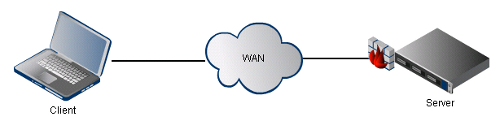
Setup map:

First we need to install the needed OpenVPN package:

1
aptitude update && aptitude install openvpn

Copy the helper scripts to make the life easier, they will help you to create keys and certificates: Continue reading ‘OpenVPN Road Warrior Setup’

Maemo be root

After my failed android installation I try to restore my old state of my N900.

Here’s how to get root access:
1. Go to Application manager > Application catalogs -> New
2. Write maemo.org extras-testing for catalog name
3. Give web address as http://repository.maemo.org/extras-testing
4. Enter fremantle as the distribution
5. Enter free non-free for components

Now simply install rootsh from Application Manager.
Once you are done with rootsh, open a terminal.

You can now either try sudo gainroot and you will be root.

Nokia N900 IPv6 Support

1. Launch the X-Terminal application
2. Type in the command: “sudo gainroot”
3. Type in “apt-get install kernel-power-flasher” to launch the request to install the IPv6-enabled kernel available at Extras-Testing repository
4. Accept ll confirmations
5. After finishing the download, the new kernel will be flashed automatically to your N900 device. Now turn of the device and then turn on the device to reboot.

Now you are able to use ipv6 module

To add very simple ipv6 address install “IPROUTE” to use “ip” command.

1
ip -6 a a 2001:470:1f0b:1514::100/64 dev wlan0