
I have some samba servers with a lot of different shares, all thees share are accessed from different systems like Windows MAC OS X and Linux. Each system let some garbage like: [Read more…]

Linux, programming and more
I have some samba servers with a lot of different shares, all thees share are accessed from different systems like Windows MAC OS X and Linux. Each system let some garbage like: [Read more…]

When conducting a penetration test against an IPv6 enabled system, the first step is to determine what services are accessible over IPv6. Then you should close unnecessary ports for third persons ; for example SSH.
Consider the Nmap results below
Easy portscan syntax:
1 | root@acer:~# nmap -6 2001:470:1f0b:1604::3 |
A little bit complexer syntax without DNS resolution, and a predefined port range:
1 | root@acer:~# nmap -6 -p1-10000 -n 2001:470:1f0b:1604::3 -PN |
Output:
1 2 3 4 5 6 7 8 9 10 11 12 13 14 15 | Starting Nmap 5.00 ( https://nmap.org ) at 2010-07-24 19:16 CEST Interesting ports on 2001:470:1f0b:1604::3: Not shown: 9989 closed ports PORT STATE SERVICE 21/tcp open ftp 22/tcp open ssh 53/tcp open domain 80/tcp open http 110/tcp open pop3 143/tcp open imap 443/tcp open https 623/tcp filtered unknown 664/tcp filtered secure-aux-bus 993/tcp open imaps 995/tcp open pop3s |

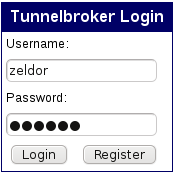
First step is to register a free IPv6 address. Tunnelbroker (tunnelbroker.net) from Hurricane Electrics is one of the best ipv6 offerers. With just a few clicks, you can create a free account.
After you get your generated password to your mail-account, you can login.
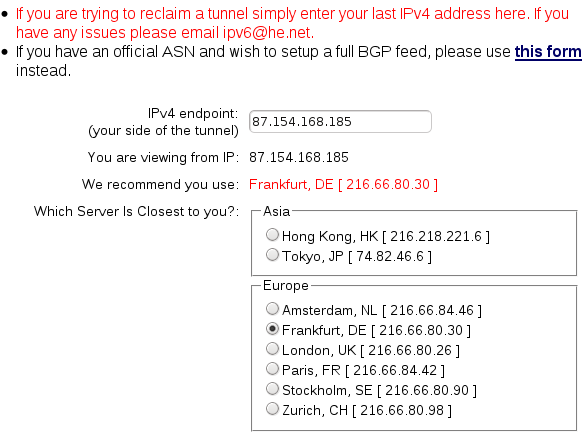
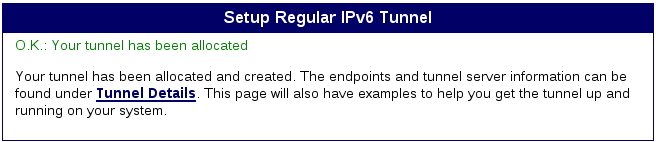
After login select on the left side «User Functions > Create Regular Tunnel»;
Important: Your ISP and your Router/Gateway should allow ICMP packets.
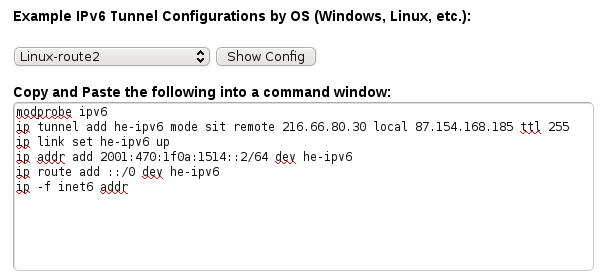
Configuration:
1 2 3 4 5 6 7 8 9 10 11 12 | # Hurricane Electrics IPv4 Server: 216.66.80.30 # My local IP Address: 87.154.168.185 # Hurricane Electrics IPv6 Server: 2001:470:1f0a:1514::1/64 # My IPv6 Adress 2001:470:1f0a:1514::2/64 /sbin/ip tunnel add he-ipv6 mode sit remote 216.66.80.30 local 87.154.168.185 ttl 255 /sbin/ip link set he-ipv6 up /sbin/ip addr add 2001:470:1f0a:1514::2/64 dev he-ipv6 /sbin/ip route add ::/0 dev he-ipv6 /sbin/ip route add 2001:470:9d36::/48 dev lo exit 0 |
Some additions (17.07.2010 – 21:46):
Also you can use this standard Debian configuration method “/etc/network/interfaces”:
1 2 3 4 5 6 7 8 | # IPv6 over tunnel-broker auto he-ipv6 iface he-ipv6 inet6 v4tunnel endpoint 216.66.80.30 ttl 255 address 2001:470:1f0a:1514::2 netmask 64 mtu 1480 |
Of course you will need this extra route to make it working:
1 | /sbin/ip route add ::/0 dev he-ipv6 |
Check your configuration:
firewall ~ # ping6 ipv6.google.com PING ipv6.google.com(2a00:1450:8004::63) 56 data bytes 64 bytes from 2a00:1450:8004::63: icmp_seq=1 ttl=56 time=42.6 ms 64 bytes from 2a00:1450:8004::63: icmp_seq=2 ttl=56 time=42.9 ms |
IPv6 routing table:
1 | ip -6 r |
Check your security:
1 | nmap 2001:470:1f0a:1514::2 |
Some screen shots:
IPv6 logo taken from: Hetzner.de