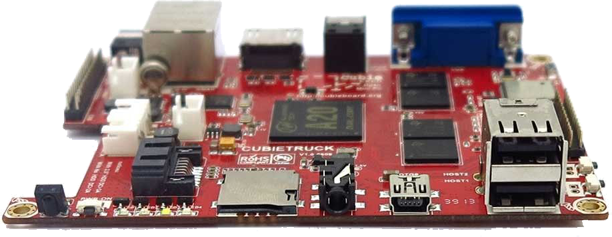
Actually my Cubietruck is exactly four years old and still performing great.
Board production is still alive and buyable fo 69€.
This post is just a review of a great product, use cases, modifications and recommendations.
[Read more…]

Linux, programming and more
Actually my Cubietruck is exactly four years old and still performing great.
Board production is still alive and buyable fo 69€.
This post is just a review of a great product, use cases, modifications and recommendations.
[Read more…]

Attention this tutorial was written for ARM-Based systems in my case it was a Trim-Slice system, without MBR (without grub). It was a plain Debian without Kernel and boot loader
[Read more…]

The BeagleBone is the low-cost, high-expansion hardware-hacker focused BeagleBoard. It is a bare-bones BeagleBoard that acts as a USB or Ethernet connected expansion.
BeagleBone brings full-featured Linux to places it has never gone before.
Delicious facts about BeagleBone
 AM3359 Processor btw. this is the Datasheet [Read more…]

Last week I bought a new HDD for one friend and I started a rsync process on my tiny home-server to copy some stuff – it was around 190 GB of different stuff.
This command looks very simple and without unnecessary options but my 400 MHz CPU was pretty quick hot and I got a [Read more…]

Some of my servers providing FTP service and I check every weekend all the uploaded and system files for viruses and rootkits.
If somebody starts a upload, nobody think about potential danger e.g. virus.
You can start all this checks separated or as a script.
Here are some examples: [Read more…]